Suggestions
When Antidote adds a flag to a time entry it will also suggest a correction where possible. We call this a suggestion and there are a few types of suggestion you will encounter.
Types of suggestion
Update narrative
If Antidote can suggest an AI generated correction to the narrative that will reduce the chance of the time entry being rejected by the client, this suggestion will show under the original narrative in the time card view with the green highlight on the left.
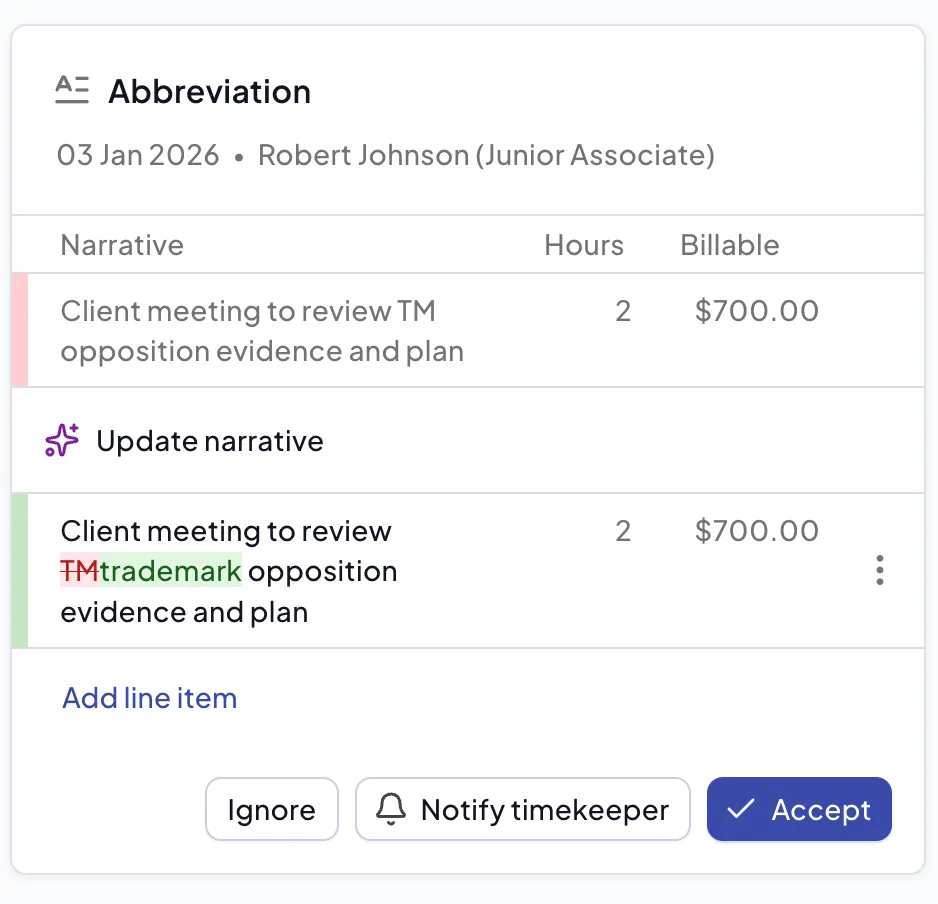
Remove Time or Mark Unbillable
If Antidote determines the time entry could be rejected and there is no way to change the narrative so that it can be billed, it will create a Remove time suggestion. Accepting this change will make the time entry unbillable. The exact status will depend on your finance system.
Insufficient Detail
In some cases a narrative will have insufficient detail to be billed and this will be highlighted in yellow with information describing the problem, so that a manual edit can be made. A summary of the recent work by the timekeeper is often included in the card detail to provide context.
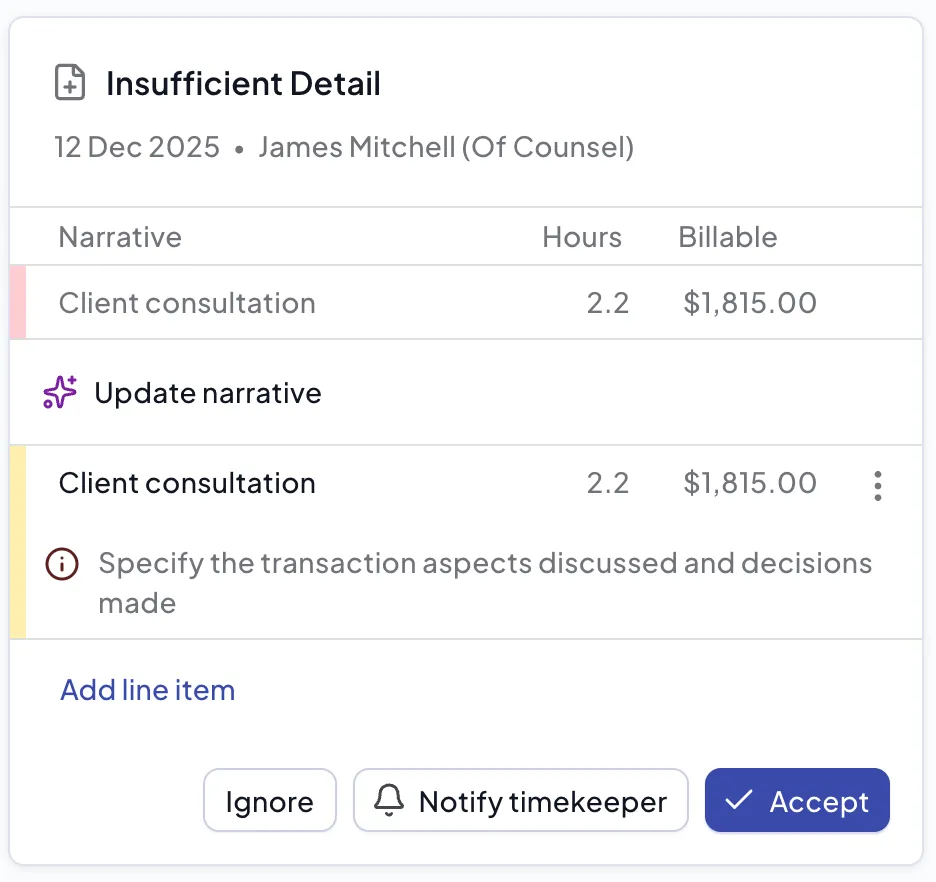
Other rules can also add information in this way, for example name formatting errors.
Task Code
If a time entry does not use the expected task code, Antidote will suggest a task code from the task code set for that matter. The suggestion shows in the Task Codes card with the original task code struck through in red and the suggested task code in green.
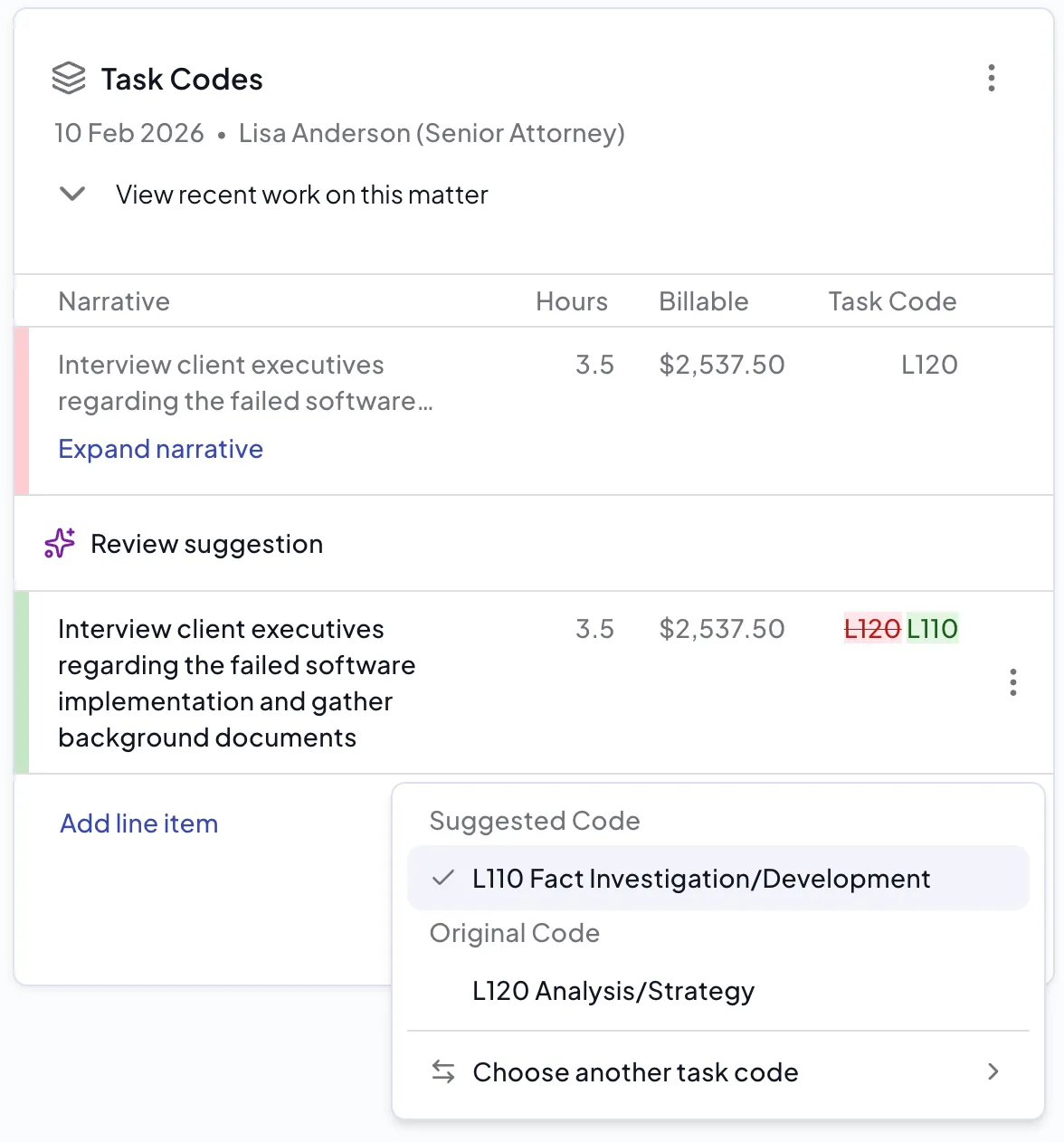
Opening the suggestion gives you three options: accept the Suggested Code, revert to the Original Code, or Choose another task code to pick a different code from the task code set for that matter.
The task code set offered is either the task code set assigned to the matter in your finance system, or the fallback task code set configured on the Task Code rule if one is set and the matter has no task code set of its own. See Task Codes for more information.
Acting on a suggestion
You have several options on the card for working with the suggestion. You can Accept the suggestion if you think it is a good resolution to the flag, or you can edit the suggestion if you think there is a better phrasing. If you don't think that the client will reject the time entry, you can ignore the suggestion and keep the original entry.
If you are not the timekeeper, then in the draft bill or matter view you also have the option to Notify Timekeeper. This will send an email to the timekeeper to remind them to review the time entry, if they have access to Antidote.