Time entry status
When viewing time entries in the matter or draft bill view, the time entry can be in one of several statuses.
Common statuses
Most time entries will have no issues and will be in one of these common statuses.
No status (--)
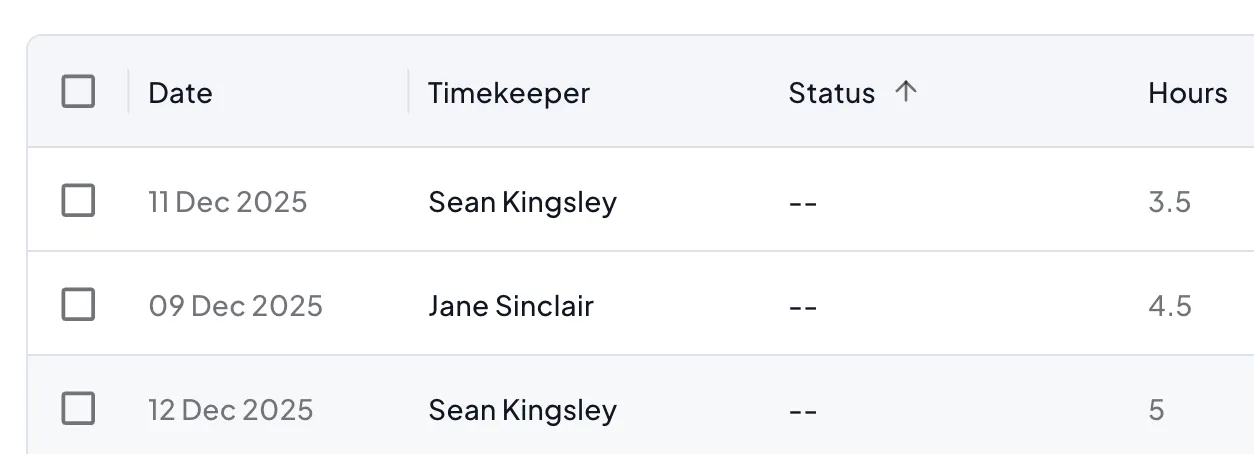
The majority of time will have been reviewed and found to have no flags. In this case you will see -- in the status column.
New
A New time entry has just been read by Antidote and not yet processed. It should be reviewed by Antidote within a few minutes.
Processing
Processing indicates that Antidote is currently reviewing the time entry.

Flagged Statuses
Flagged statuses mean a potential problem was found with the time entry that is unresolved. Antidote will not change the time entry in the finance system unless the flag is resolved. The billing process is not blocked by unresolved time entries and a time entry can safely proceed from WIP to draft invoice and then to billed invoice with a flag in Antidote, although it carries the risk of rejection by the client if they find the same problem.

Flagged
Antidote has found a problem with the time entry. For more information on flags and suggestions see the previous sections in this guide.
Timekeeper Notified
When Timekeeper Notified is displayed the time entry is still flagged and unresolved but the timekeeper has received an email asking them to review the entry. If a user has access to the time entry and needs to resolve it in place of the timekeeper it can be reverted. See the information below on reverting time entries.
Resolved Statuses
These indicate that action was taken to resolve a flagged time entry.

Corrected
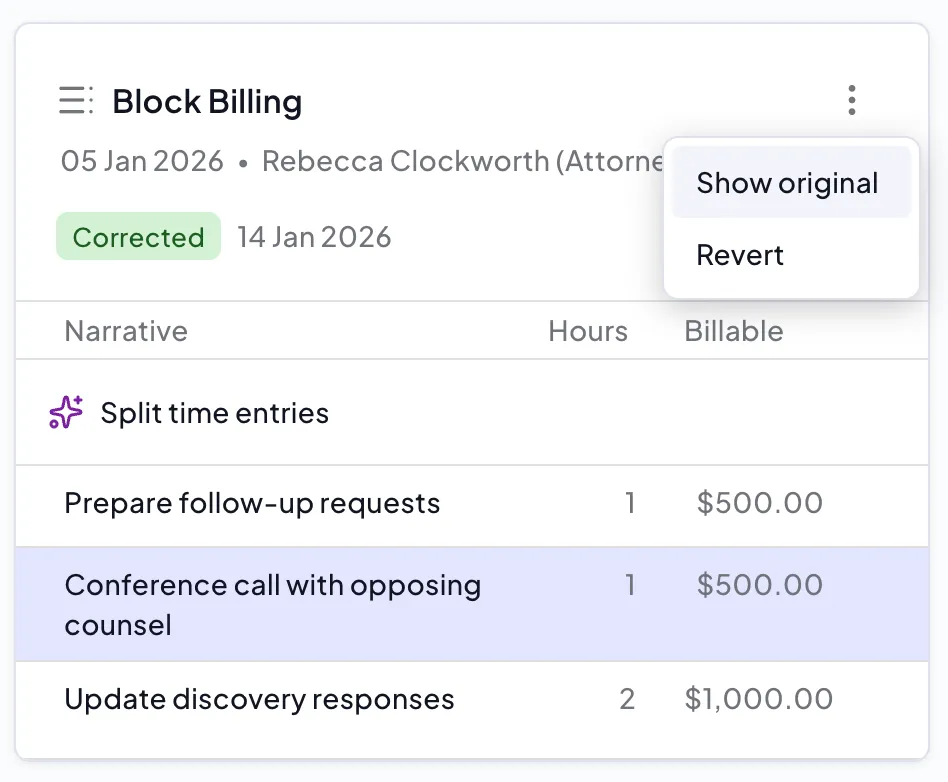
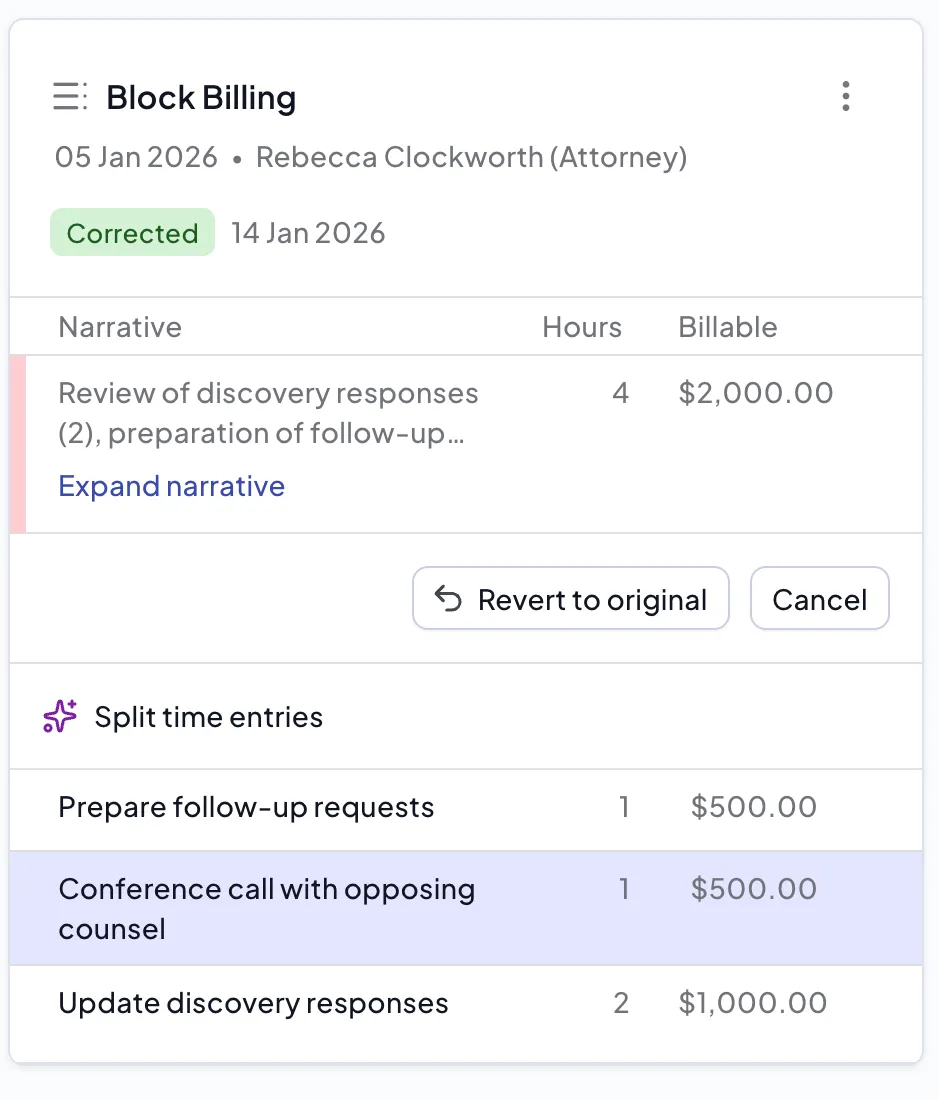
If a flag has been corrected by accepting a suggestion from Antidote, or by making edits in Antidote, then it will be marked as Corrected. Antidote will have updated the narrative or other information for this entry in the finance system.
Ignored
If someone has ignored a flag because they wish to bill the entry as it was originally entered, then it will show as Ignored. No changes will be made to the entry in the finance system.
Error statuses
Processing Error
Sometimes Antidote is temporarily unable to process the rules for a time entry and this will shown as a processing error. No changes will have been made to the entry in the finance system. Antidote will try and reprocess the entry but if the entry remains in this state contact [email protected].
Synchronization Error
Antidote reads and writes data to the finance system at your law firm. When writing changes from Antidote to the finance system Antidote will ensure that no changes have been made within the finance system since Antidote read the entry, and will stop the write with a Sync Error in this case. These errors will usually be resolved by the next read from the finance system and no changes will have been made to the entry.
Antidote will try and reprocess the entry but if the entry remains in this state contact [email protected]. When reprocessing an entry it is possible the same flag may be created as the first time the entry was read and will need to be resolved again.
Reverting Changes
If an entry is Ignored, Corrected or Timekeeper Notified you can revert this change so that the time entry returns to its original status. This will normally return the status to Flagged so that it can be resolved in some other way.
You can revert the time entry by viewing the original entry and selecting Revert to original or by directly selecting revert from the menu.