Email Notifications
Antidote sends email notifications to keep you informed about your time entries. You can control which emails you receive in Notification Preferences.
There are three types of notification email, and two of them can also be sent as actionable emails.
Actionable Emails
Recent Time Fixes and High Priority emails can be sent as actionable emails, with buttons that let you act on suggested corrections directly from your inbox instead of opening Antidote. Activity Summary emails don't have an actionable version.
Actionable emails only work in Outlook. In any other email client, the same email arrives as a standard email with a link back to Antidote instead of buttons.
Actionable emails need to be set up before they'll work for your organization:
- Your organization's Microsoft 365 administrator completes Actionable Email Setup.
- You turn on Use Actionable Emails in your Notification Preferences.
Recent Time Fixes
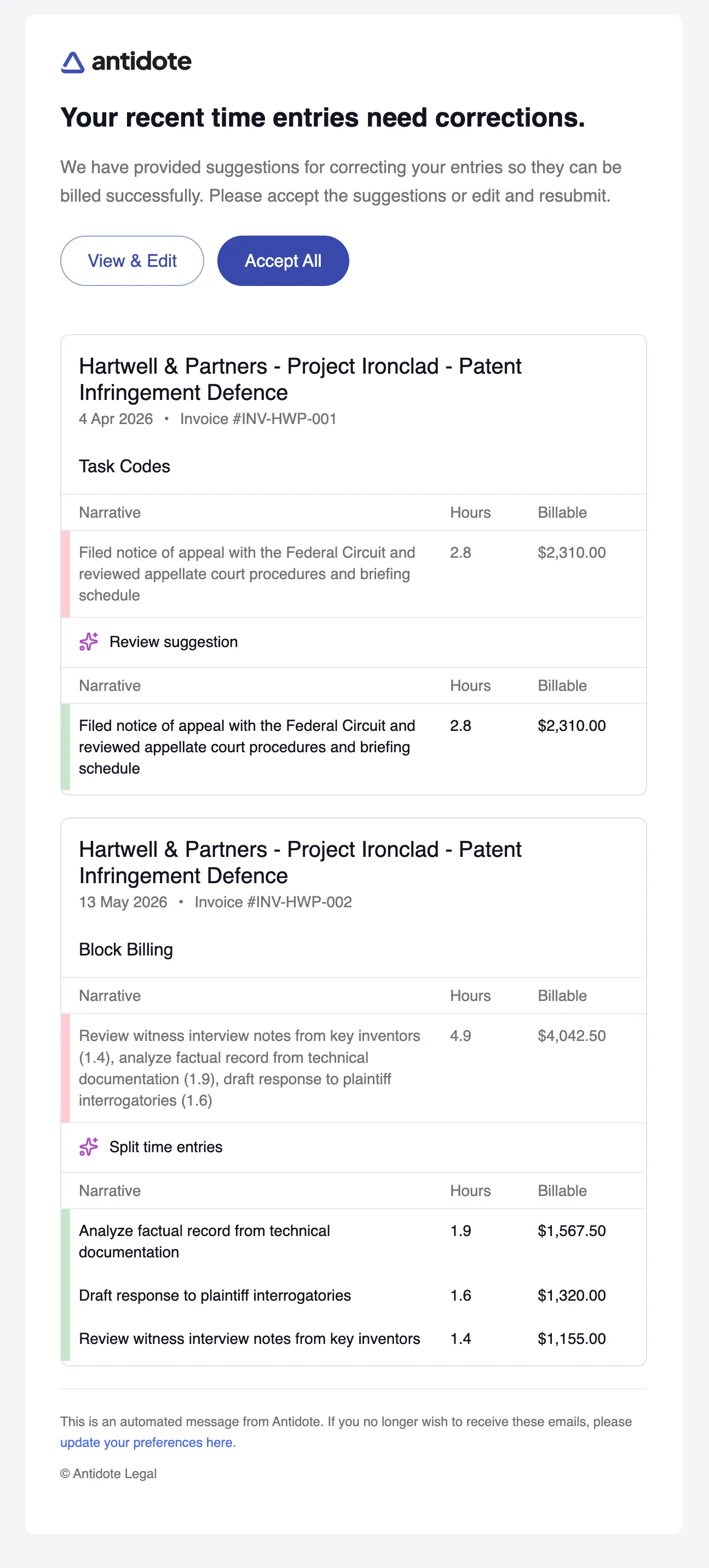
The recent time fixes email notifies you when new flags and suggested corrections have been created for your time entries. It lists each flagged entry grouped by matter and invoice, showing the original narrative alongside the suggested fix. You can click View & Edit to review each entry individually in My Time, or Accept All to accept all suggestions in one go.
Actionable version
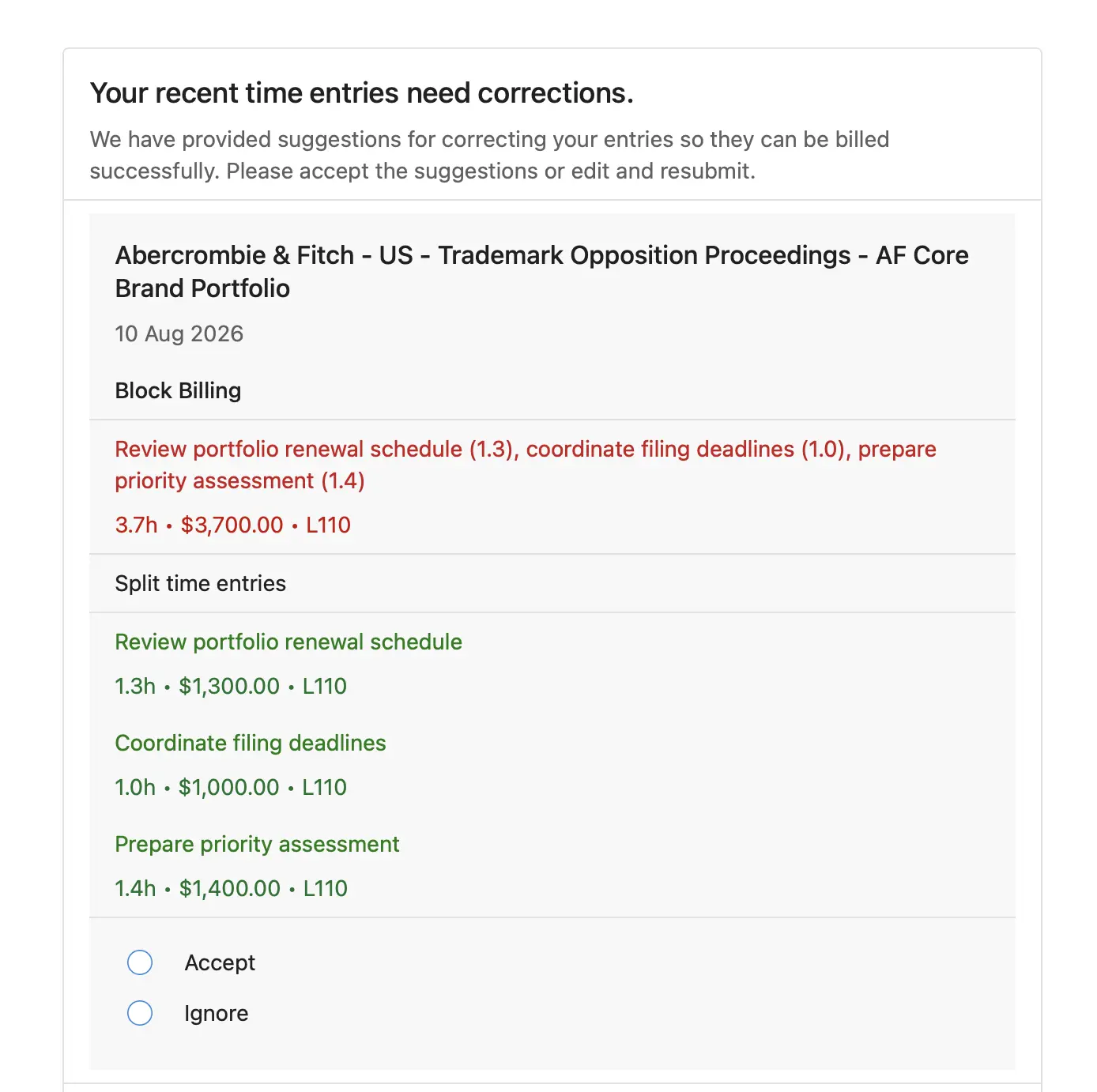
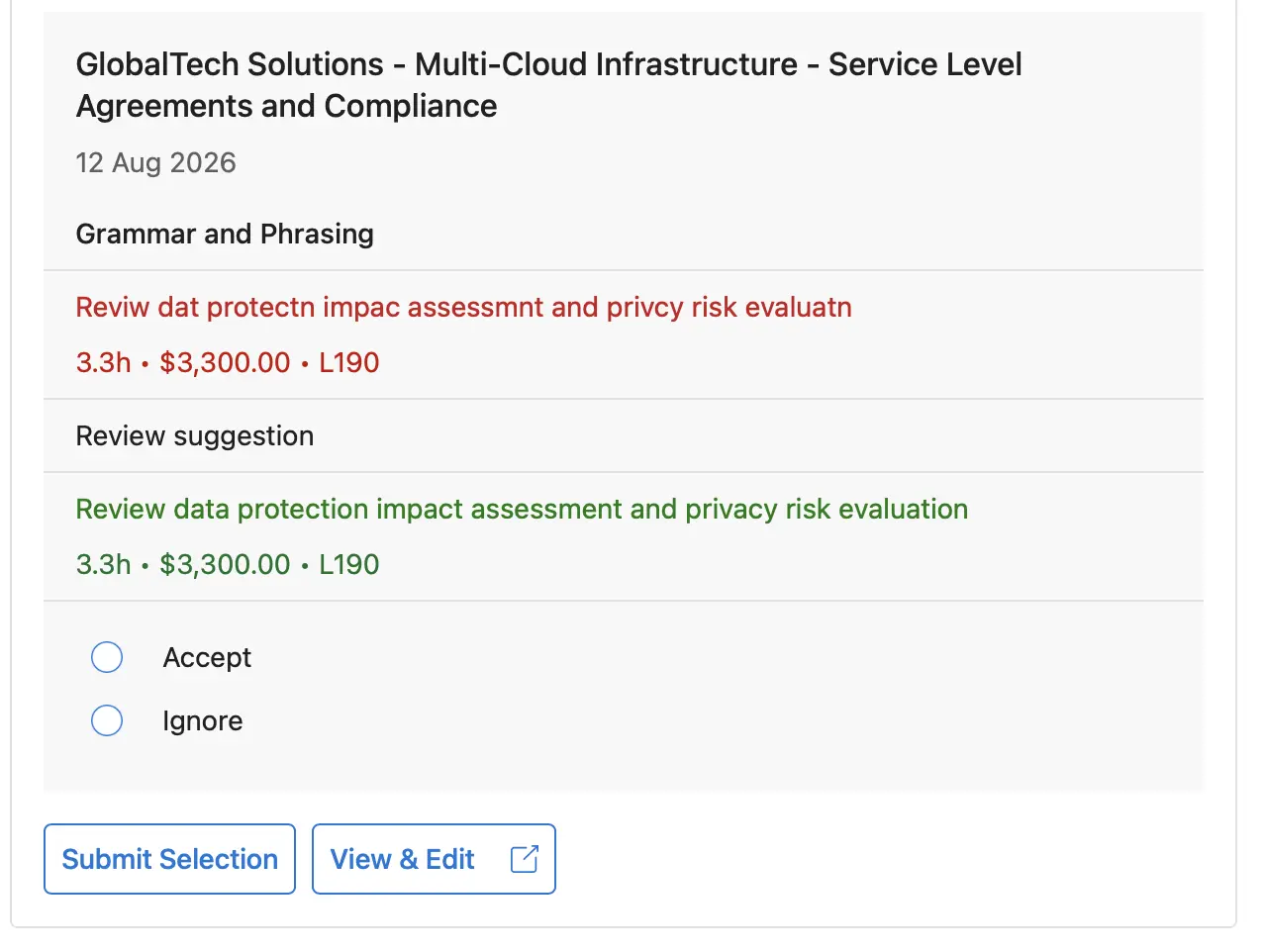
Sent as an actionable email, this looks plainer - a limitation of the actionable email format. Instead of Accept All, you choose Accept or Ignore individually for each flagged entry.
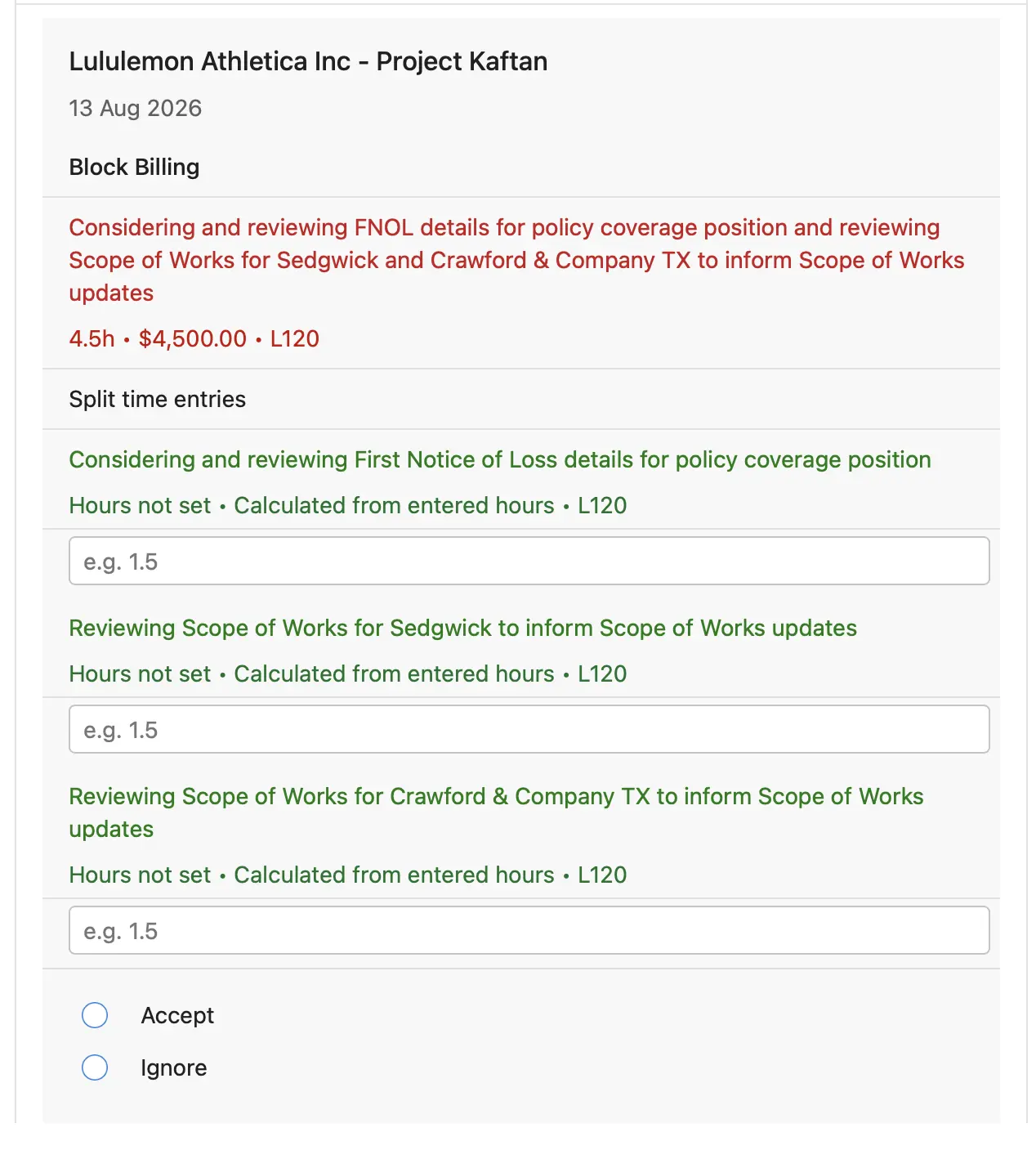
If a suggested block billing split doesn't already have hours assigned to each entry, you'll need to enter them yourself before accepting.
If a flag requires you to edit the narrative to add additional information, a text box for this is shown in the email. To edit other narrative suggestions, click View & Edit to make the change in Antidote instead.
At the end of the email, click Submit Selection to register your choices with Antidote, or View & Edit to open the entries in My Time instead.
Once submitted, the email updates in place to show how many entries were accepted and how many were not actioned - anything you didn't select Accept or Ignore for.
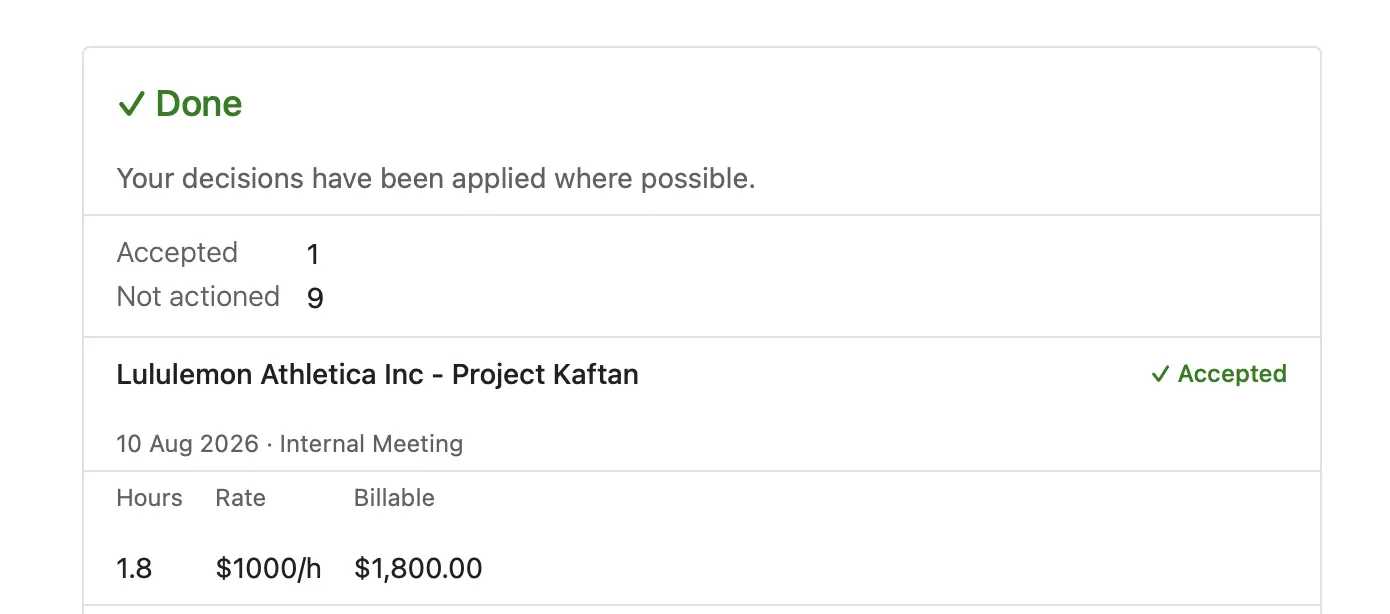
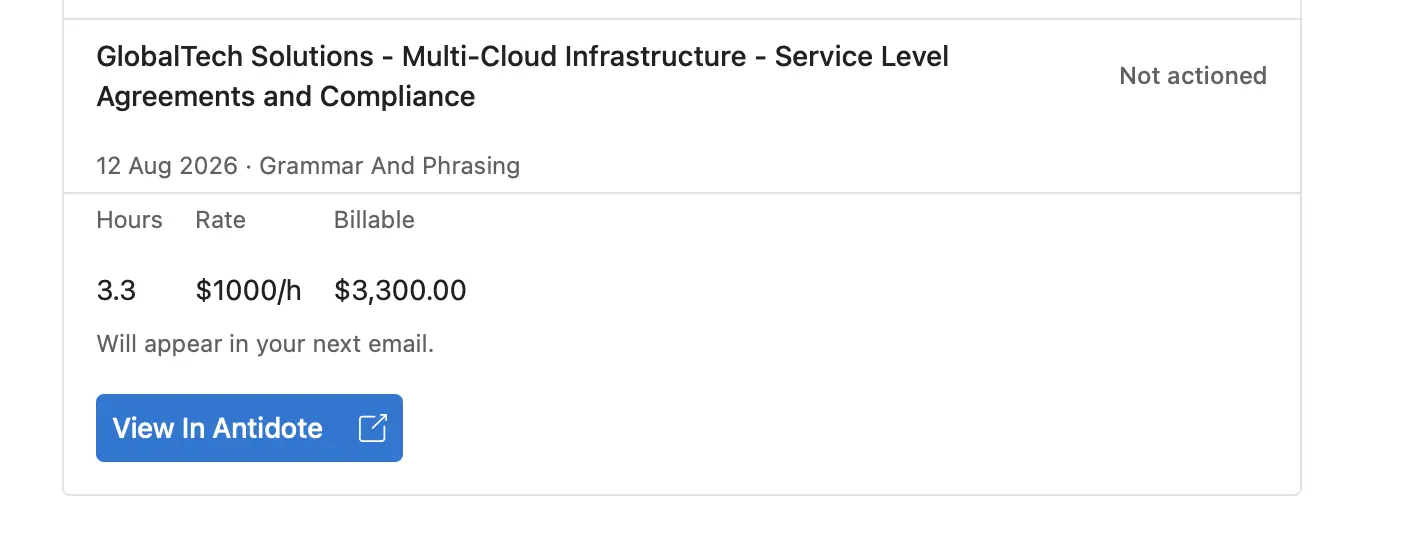
Each entry shows its own status below - Accepted, Ignored, or Not actioned. Entries you didn't action will appear again in your next email, or you can click View In Antidote to open All Entries, filtered to the entries from this email.
High Priority
The high priority email is sent daily when there are new high priority flags on your time entries. A flag is high priority when it was created by a high priority rule, or when a colleague has asked you to review it using the Notify Timekeeper button. Each flag is only included in one email. Clicking the link in the email takes you directly to the relevant entry in My Time.
Sent as an actionable email, this works the same way as the actionable Recent Time Fixes email above.
Activity Summary
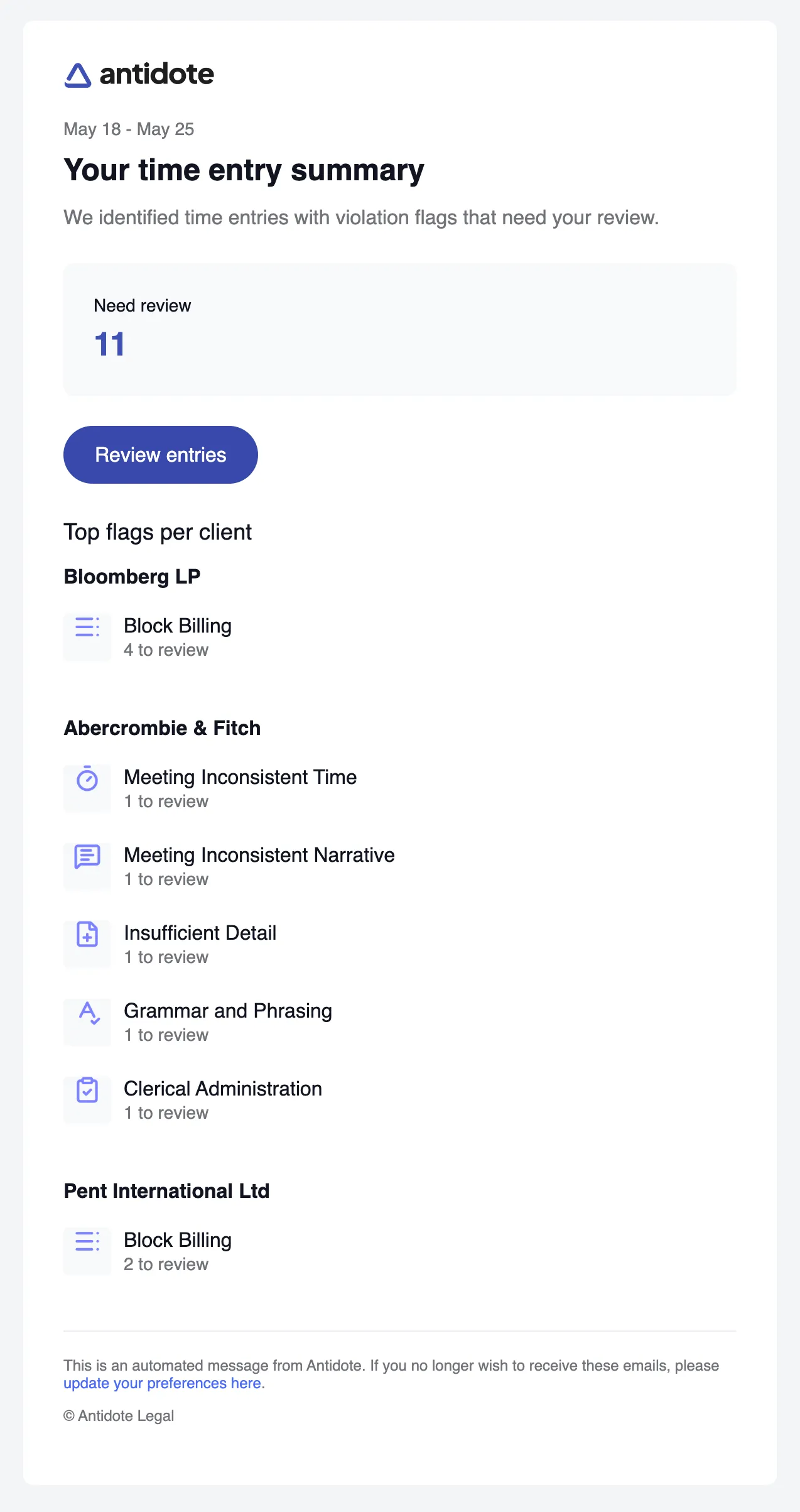
The activity summary is a weekly email that gives you an overview of the time entries that need your attention. It shows a count of entries needing review and breaks down the top flags by client and flag type, so you can quickly assess where your time needs correcting.