All Entries
The All Entries tab shows your time entries in context, so you can see how your flags fit into your overall timekeeping picture.
My Time is only available to users with the timekeeper role and only shows your own time entries. If you do not see My Time in the sidebar, contact your administrator.
Filtering by status
You can use the status filter to focus on entries in a particular state, such as flagged, corrected, ignored, or needing approval. See Time Entry Status for a full list of statuses, including Approvals.
Table columns
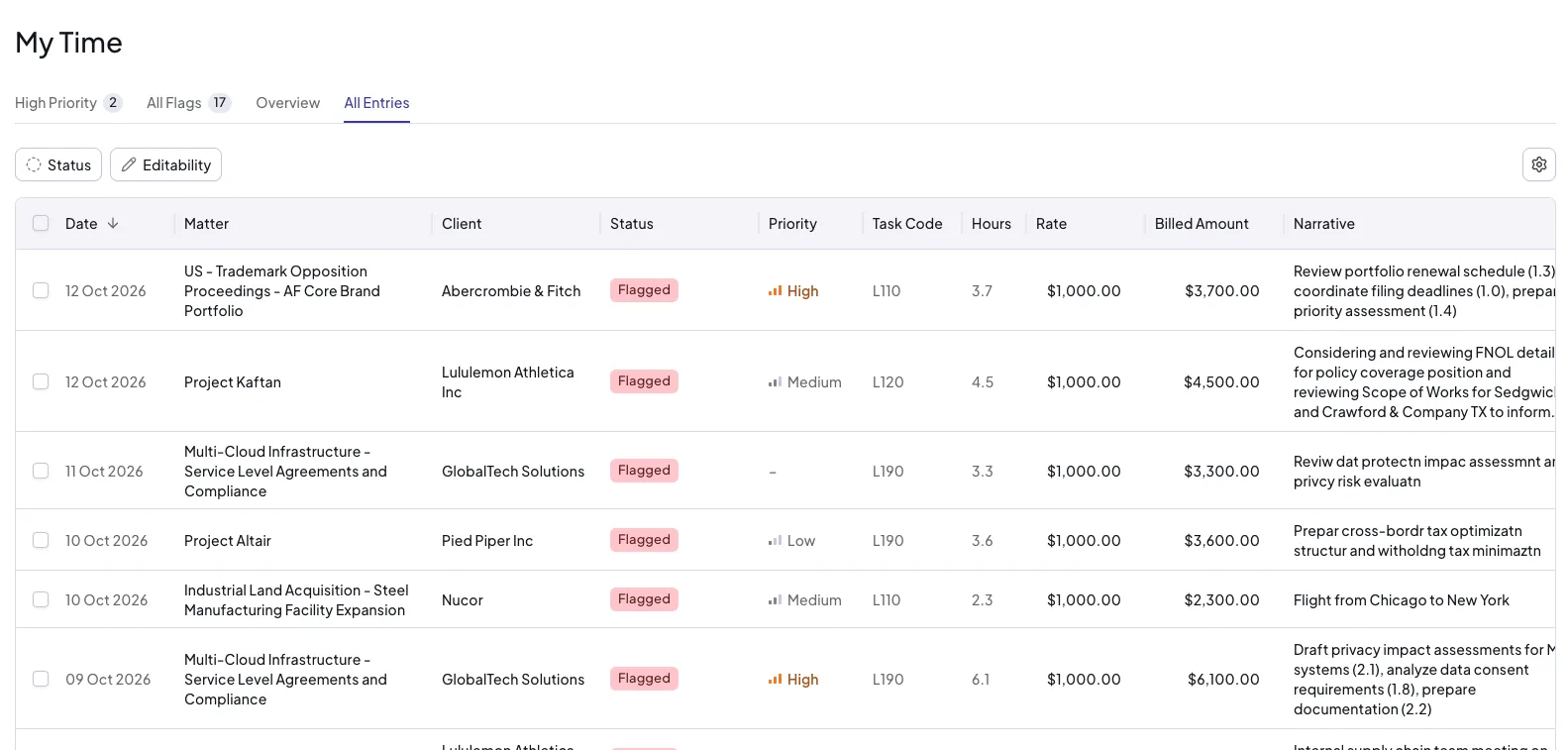
The table displays the following columns from left to right:
- Date - the date of the time entry
- Matter - the matter the entry was recorded against
- Client - the client for the matter
- Status - the current status of the entry
- Priority - the priority of the entry's flag, if it has one
- Task Code - the task code assigned to the entry, if task codes are enabled for the matter (see Task Codes)
- Hours - the hours recorded
- Rate - the billing rate applied
- Billed Amount - the total billed value for the entry
- Narrative - the time entry narrative
Accepting and ignoring entries
As with the High Priority and All Flags tabs, you can accept and ignore flagged entries directly from this view.
Reviewing and reverting corrections
You can use this tab to review entries you have already corrected. If you change your mind, you can revert a corrected entry and make a different decision.