OCG Documents
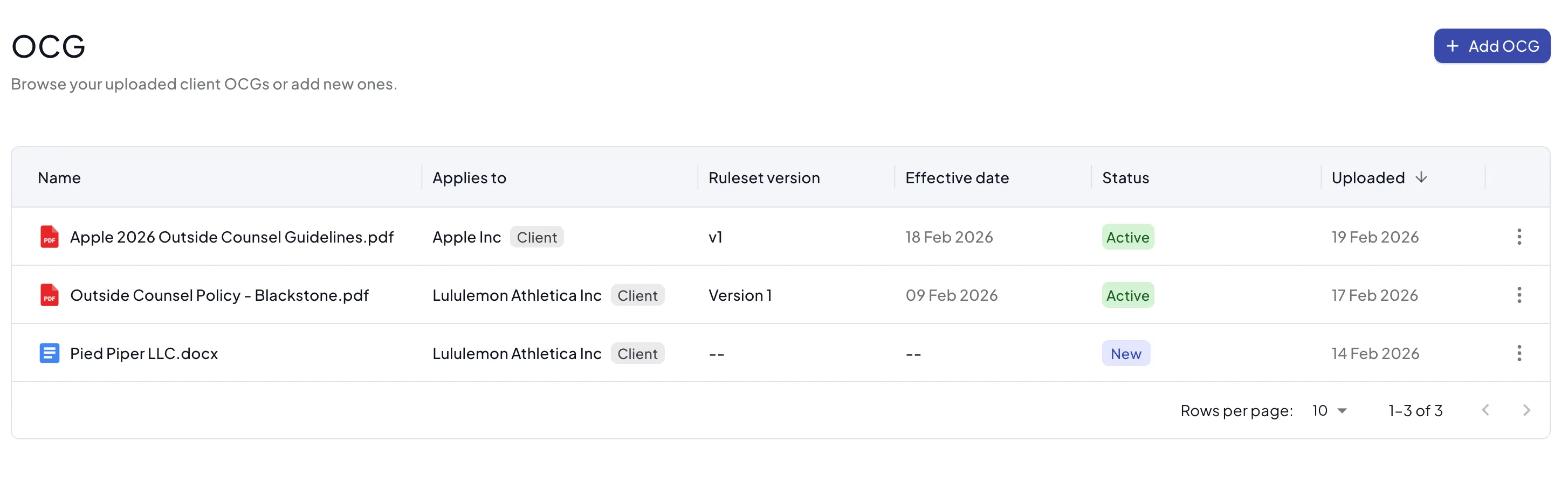
You can manage your documents in the OCG list under library or you can upload documents for individual clients.
Supported Document Types
Antidote supports uploading PDF or Word documents. PDF documents can be previewed within Antidote, Word documents must be downloaded to see the original. The documents will also display differently in the citations view.

PDF documents can have varying accessibility. If your PDF contains text as images, or if the PDF has been created from a Word document with "Best for printing" selected, Antidote may have problems reading the document. If you have issues with a document contact [email protected]
Citations and Rules
Antidote will process the document looking for parts of the text (citations) that relate to rules Antidote knows about. For example, it will find text that describes how block billing is not allowed. These citiations will be linked to rules on the right hand side. You can navigate between the document and the citations by clicking on either. You can select text if you want to use it to create a citation and rule that was not identified by Antidote.
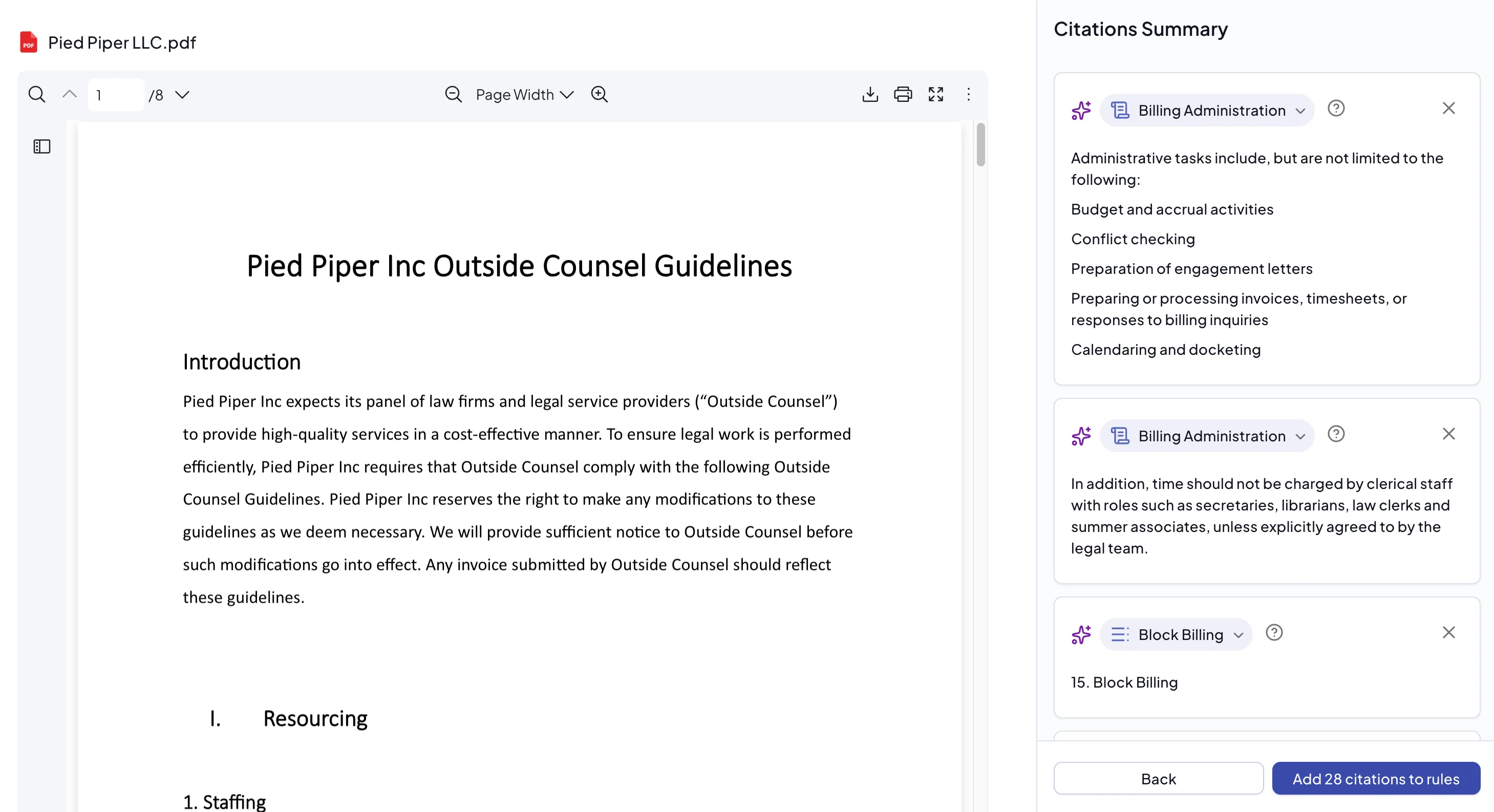
It is not necessary for all the text relating to a rule to be captured. Antidote can process rules as long as they are present in the ruleset, whether or not there are associated citations.
Versions and Effective Dates
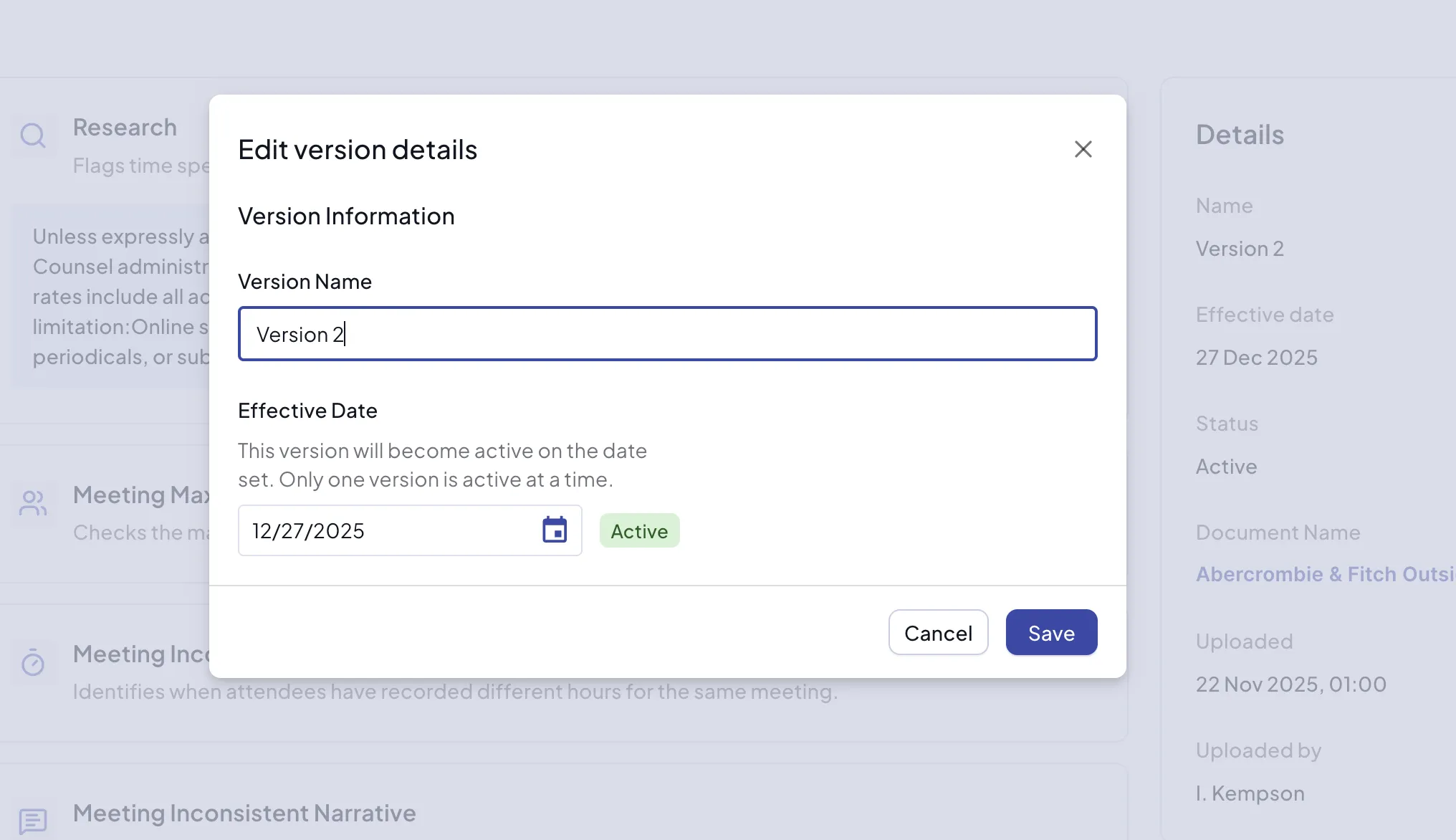
When clients issue outside counsel guidelines they may create new versions annually or more frequently. If a new version of a document is provided, upload the new document and Antidote will extract any existing or new rules. You can record the version of the rules when creating the ruleset and set an effective date when the new guidelines come into force. Only time entries processed after this date will be subject to the new rules.
Since Antidote extracts rules from the document it is not necessary to add to an older ruleset when you have a new document. However you can edit any version to manually add new rules if required. Antidote only supports single documents at this time.